

You are using an out of date browser. It may not display this or other websites correctly.
You should upgrade or use an alternative browser.
You should upgrade or use an alternative browser.
How to see blocked numbers in a cloud wildcards list
- Thread starter jlbrd
- Start date
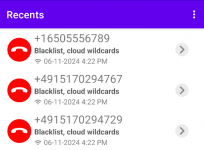
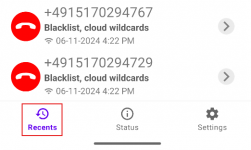

Yeah, got you!
To find out what a particular cloud list blocks, you have to go into it:
And see the list of rules under the spoiler:
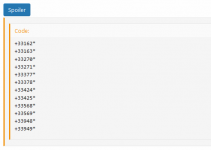
In this case, all numbers starting with these prefixes will be blocked:
+33162*
+33163*
+33270*
+33271*
+33377*
+33378*
+33424*
+33425*
+33568*
+33569*
+33948*
+33949*
This list only uses simple rules, but they can be more complicated than that. All possible blocking rules are described here:
To find out what a particular cloud list blocks, you have to go into it:
spam_legal: Bloquer toutes les capacités de numérotation dédiées au spam légal
Nom de la liste : spam_legal Cette liste bloque toutes les capacités de numéros attribuées par l'Arcep pour des services de spam et de publicité. https://forum.callfilter.app/threads/instructions-for-using-cloud-wildcards.2/...
forum.callfilter.app
And see the list of rules under the spoiler:
In this case, all numbers starting with these prefixes will be blocked:
+33162*
+33163*
+33270*
+33271*
+33377*
+33378*
+33424*
+33425*
+33568*
+33569*
+33948*
+33949*
This list only uses simple rules, but they can be more complicated than that. All possible blocking rules are described here:
How to create your own Cloud Wildcards list
Any forum user can create, update and maintain their own wildcard list. Each list is a separate thread in this section of the forum: https://forum.callfilter.app/categories/cloud-wildcards/ Topic Format Requirements: 1. The title of the topic should consist of a list identifier, a colon and a...
forum.callfilter.app